


FamBet Casino registration for a British audience
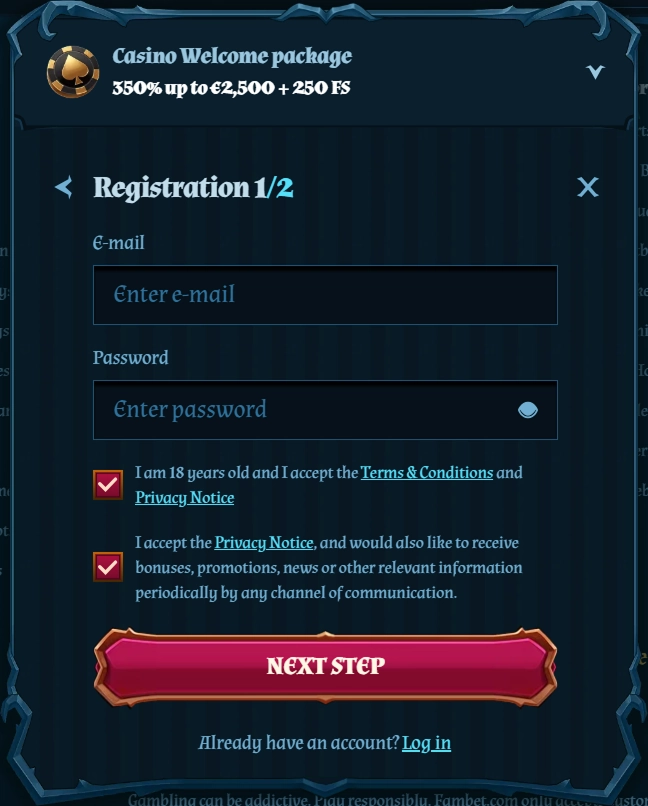
A casino account is created using a two-stage form. The first screen collects login details and basic account settings, while the second covers personal and contact information. Login via Google, Apple ID or social networks is not supported, so your email address remains the main identifier for your profile.
You do not need to upload documents straight away. Identity checks take place before your first withdrawal, but the details on the form must match your identity document and proof of address. A mistake during registration may lead to further questions during KYC.
Stage one: account details
First, enter a valid email address, create a password, and select your country of residence and currency. Your email address is used to log in and recover access, so it is best to choose one you can continue to access reliably.
Select EUR for the British version. Cashier limits, promotional amounts and loyalty programme limits are displayed in euros. The option to change the account currency later is not specifically described, so check your selection before completing the form.
Stage two: personal information
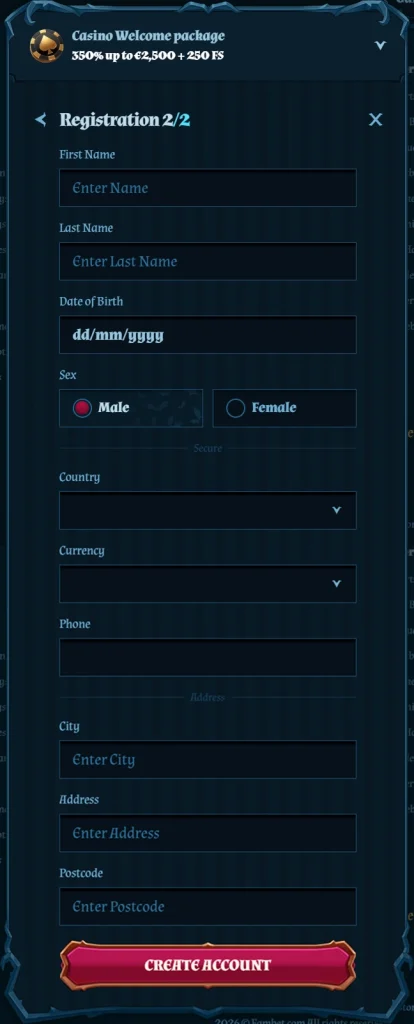
The next part of the form asks for your first name, surname, date of birth, gender, telephone number, town or city, address and postcode. Registration is available to users aged 18 or over.
Your name, date of birth and address must match the documents you will later provide for KYC. The form includes a telephone number field, but there is no separate option to register or recover access using your number.
After you submit the form, an email is sent to your address. If it does not appear in your inbox, check your spam folder or request another email.
Logging in and resetting your password
You log in with your email address and password. The same account works on computers, smartphones and tablets, so there is no need to create a separate mobile profile.
A forgotten password can be reset using a link sent to the email address linked to your account. SMS, security questions and social login are not used. If you no longer have access to your mailbox, contact support to resolve the issue by verifying your identity.
Adding funds for the first time after registration
Once you log in, you can open the cashier, which offers banking methods, cards, e-wallets and cryptocurrencies. Most methods let you add funds from €10, while Bitcoin has a separate minimum of €30. The welcome package requires at least €20 at each stage.
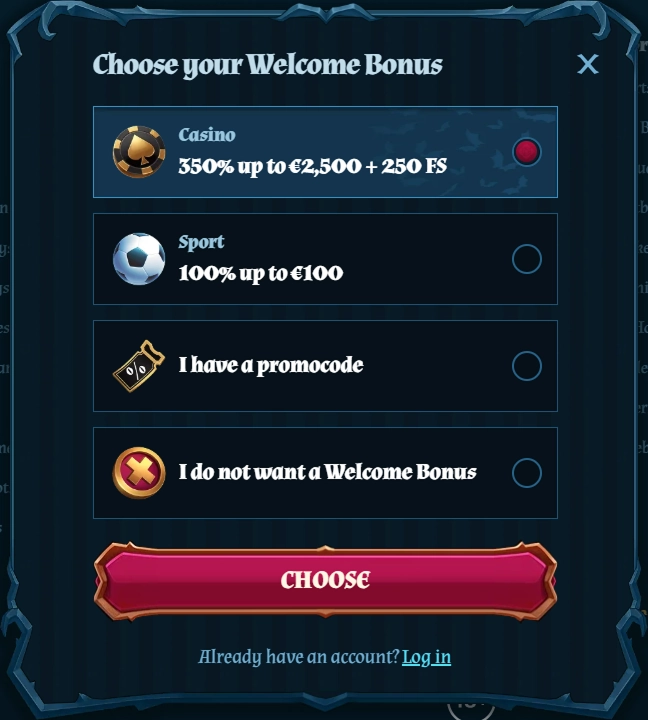
The introductory package covers four consecutive deposits and offers a total of 350% up to €2,500 and 250 FS. If an offer requires manual activation, select it before confirming your payment.
When KYC is required
Verification takes place before your first withdrawal. You will need an identity document and proof of address. The support team checks these against the name, date of birth and place of residence in your profile.
Once your documents have been approved, you can submit a withdrawal request using an available payment method. Registration alone does not complete KYC or remove the need for verification before you receive funds.
Registering on a smartphone
There is no dedicated app, so the form opens in a mobile browser. The fields appear in the same order as on the desktop version, while the controls are adapted for a touchscreen. Once you have created your profile, you log in to FamBet Casino with the same email address and password.
Access controls and responsible gambling
Profiles are intended for adults aged 18 or over. You can arrange self-exclusion through support to restrict access. On a shared device, a parental filter provides additional protection.
If gambling stops being a form of entertainment you can control, you can seek advice from GamCare, Gamblers Anonymous or Gambling Therapy. Gambling carries a risk of financial loss and is not a suitable way to earn an income.
Conclusion
Registration follows a clear sequence: first you create your login details and choose your account settings, then complete the personal information form. Social login is not available, so your email address is used at every key stage, from logging in to resetting your password.
Pay particular attention to the details that will later be checked during KYC. Your country, name, date of birth and address must match your documents, and it is advisable to check the currency before your first payment. Documents are needed before your first withdrawal rather than when you open your profile.